
Purchasing a Premium License
ClassMana offers a powerful Premium membership that unlocks the full student management system, 3D avatars, game mechanics, and quests. This guide covers everything you need to know about purchasing, taxes, accepted payment methods, and managing your subscription.
Premium Features vs. Free Tools
If you are currently using the Free version of ClassMana, your data and customized tools will be seamlessly retained when you upgrade.
- Free: Instant Teacher Tools (Monster Battle, Silence Challenge, Mystery Event, Timer, Stopwatch, Random Student Picker).
- Premium Membership: Experience, student avatars, customizable gear, health/warnings system, gold currency, the class shop, teams, and map-based Quests.
Pricing, Taxes, and Invoicing
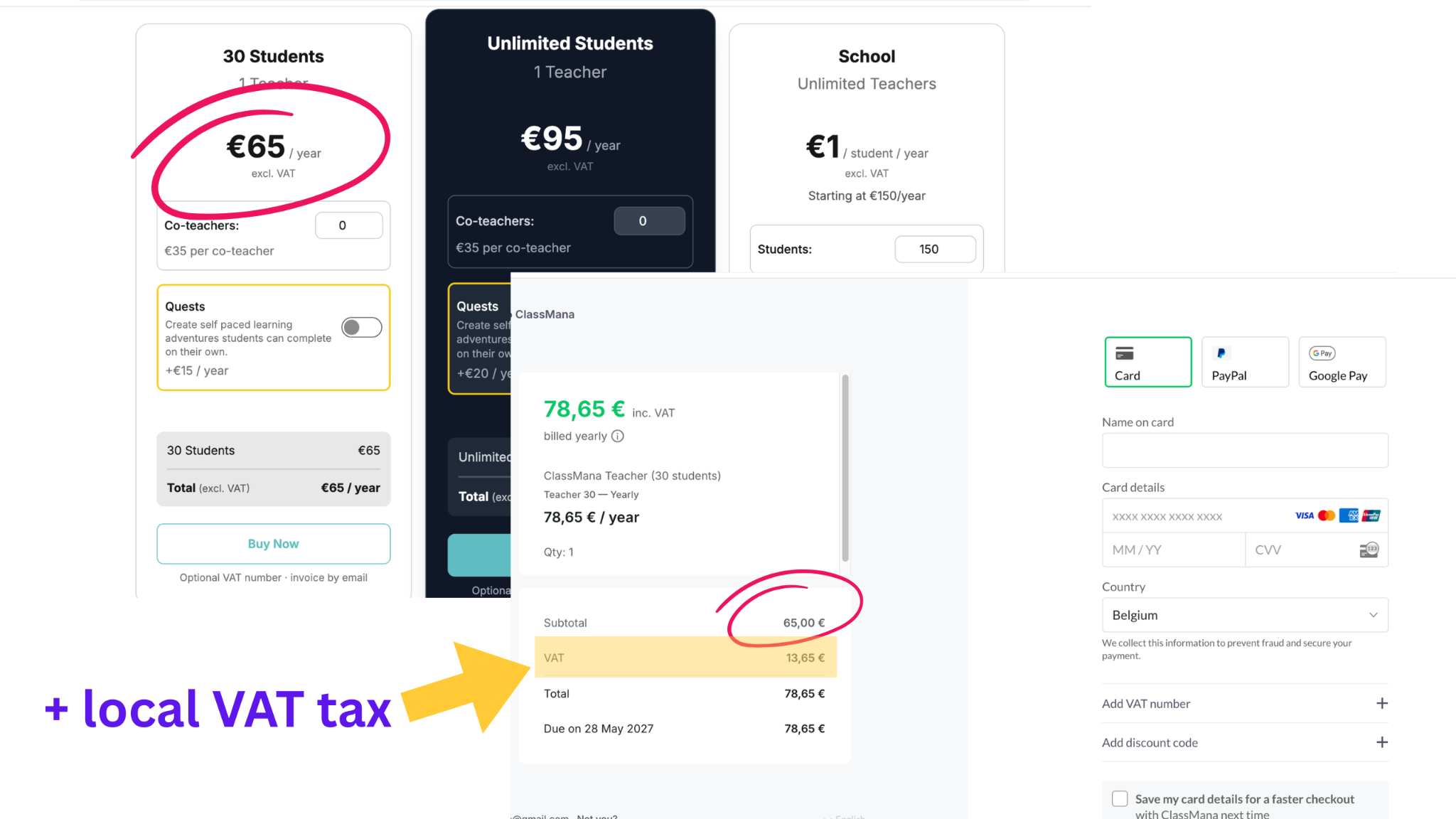
The prices displayed on our main pricing page are base rates excluding taxes. Because ClassMana complies with international tax laws (such as EU VAT and US State Sales Tax), the final amount at checkout adjusts automatically based on your billing country or state.
Adding Your School's VAT Number
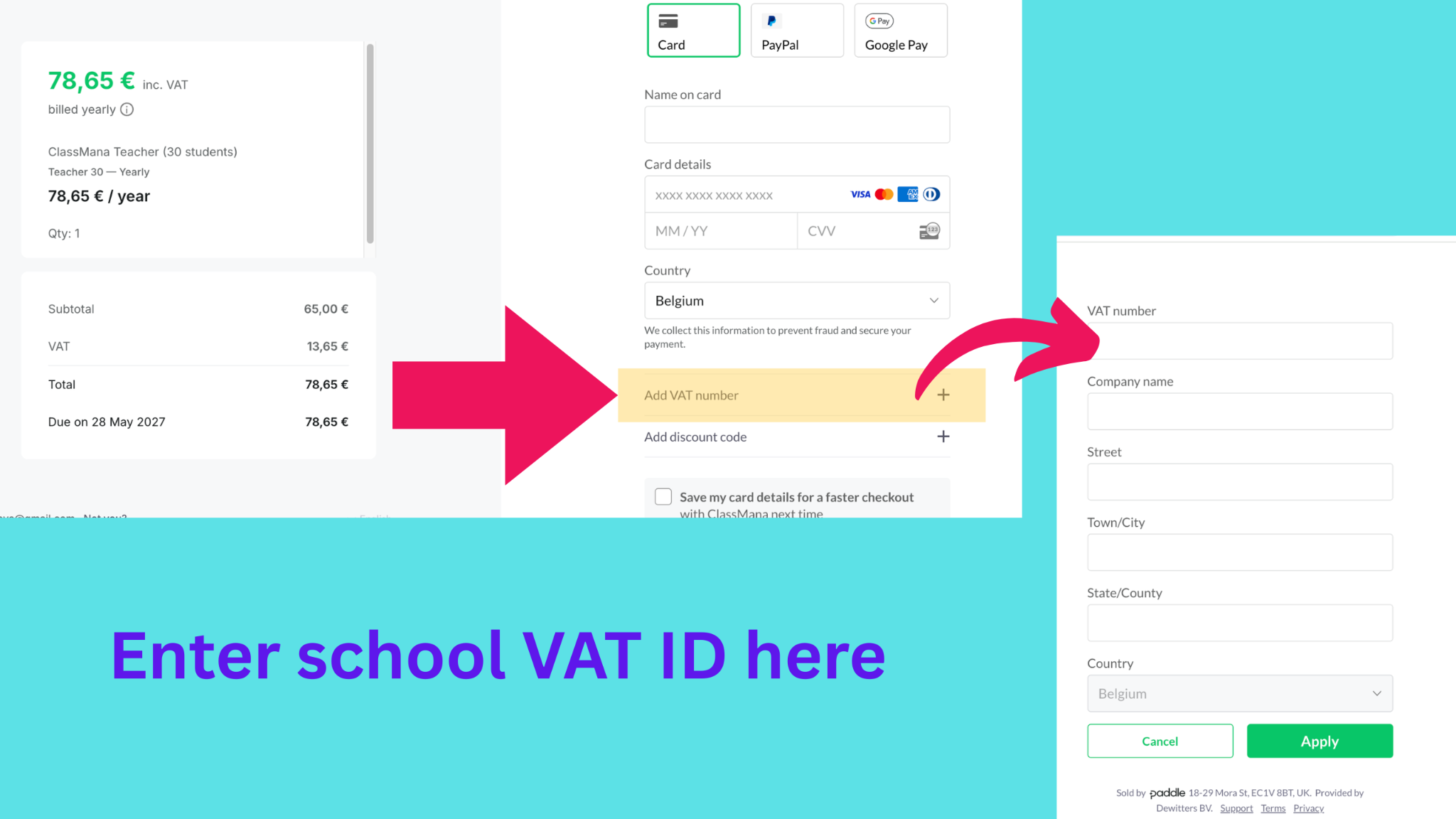
If you are purchasing on behalf of a school and need to exempt yourself from VAT, you can easily add your school's tax information during checkout:
- Below the country selection, click the "Add VAT number" row.
- Enter your School Details (these will automatically appear on your invoice).
- Click "Apply Before Ordering" to update your total.
Official Invoices
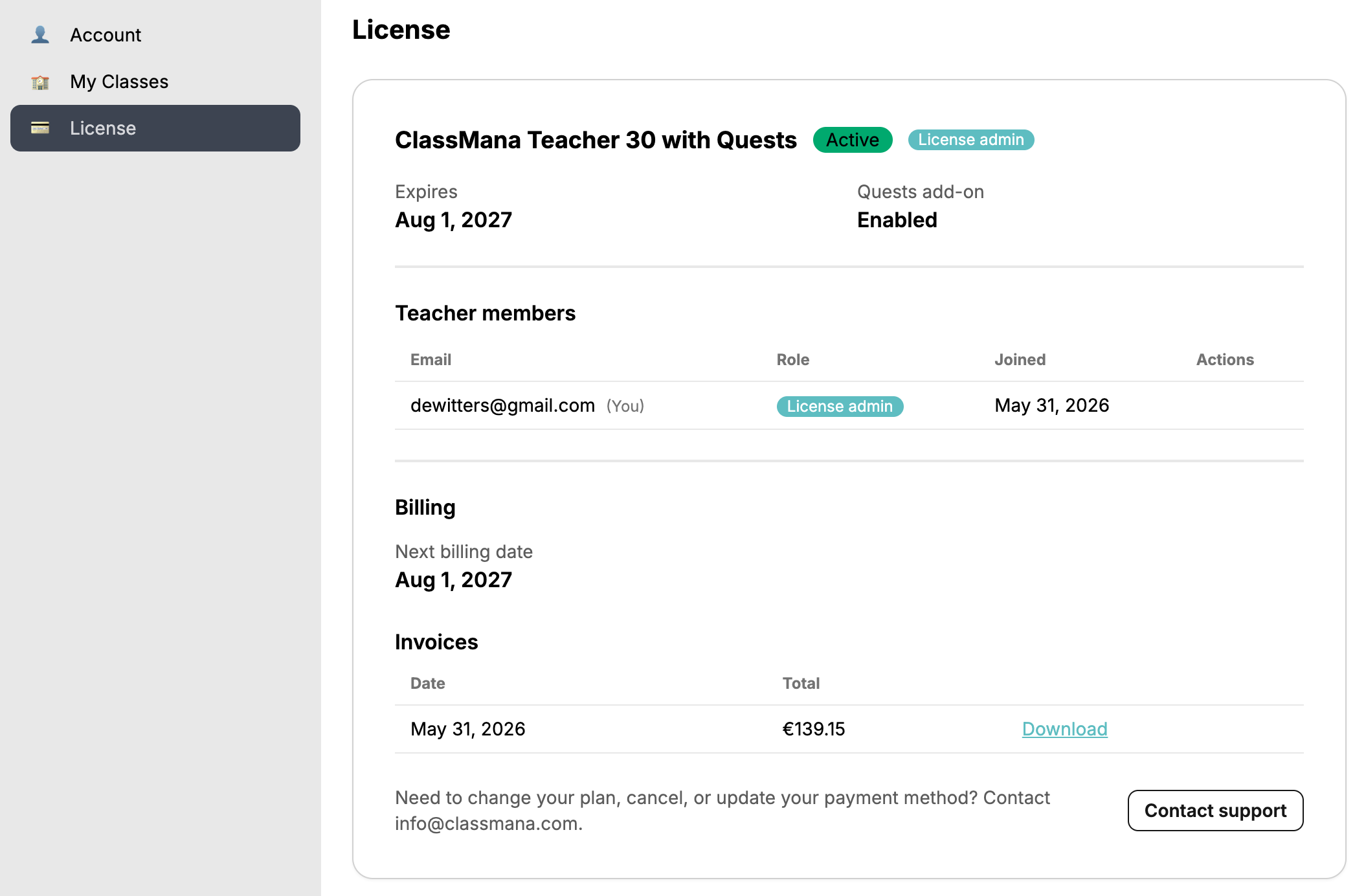
Immediately after your payment is successfully processed, an official tax invoice (including applied VAT/sales tax and our company details) will be sent to your registered email address.
Tip: Please use the School's Official Name and Address in the billing information section so it appears correctly on the invoice. You can also download your invoice as a PDF at any time directly from your account settings under the "Subscription" tab.
Using Discount Codes
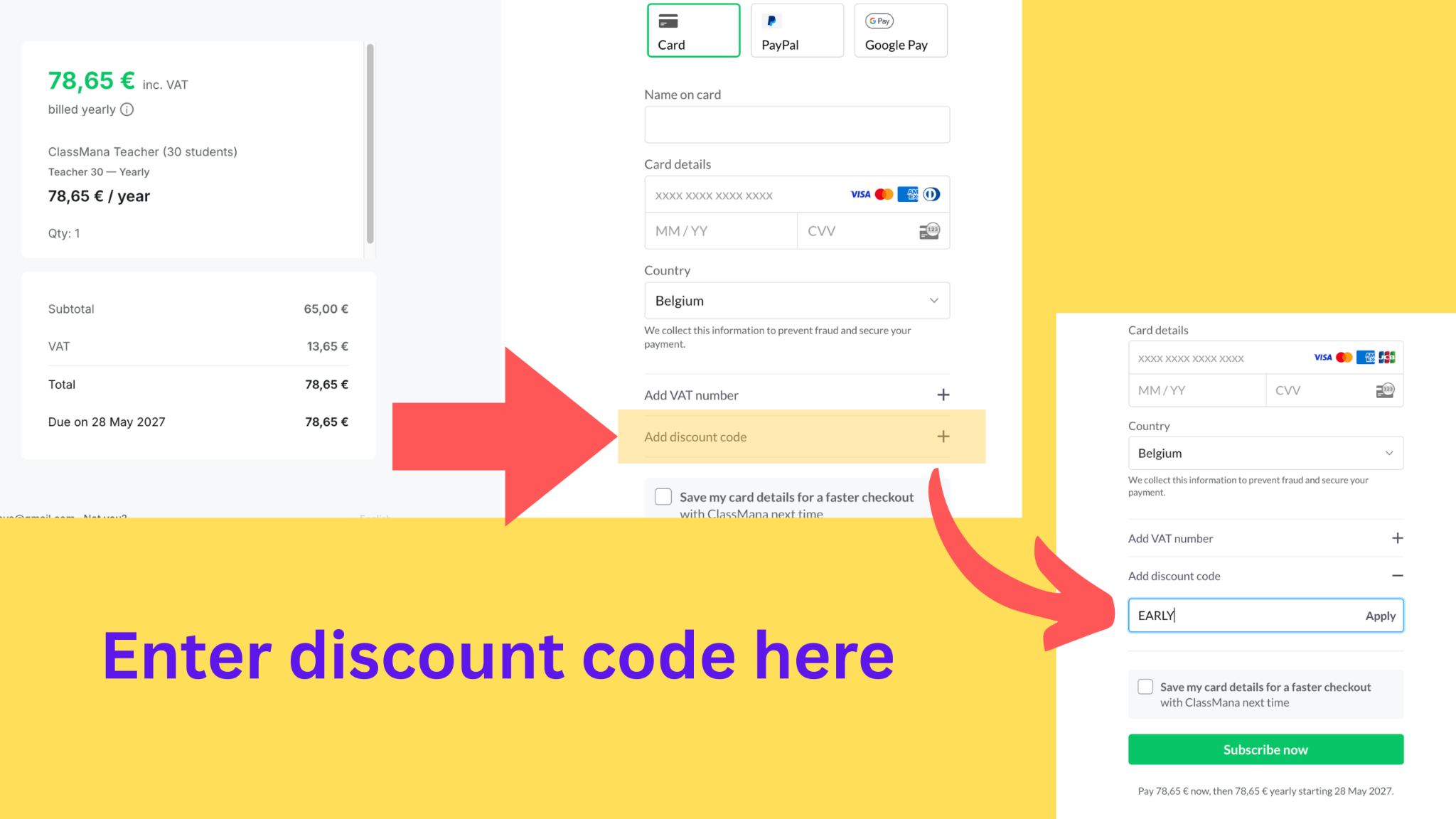
If you have a customized discount code:
- It applies to your first payment period only (your first month or first year).
- Make sure to hit "Apply" before completing your checkout!
Payment Methods
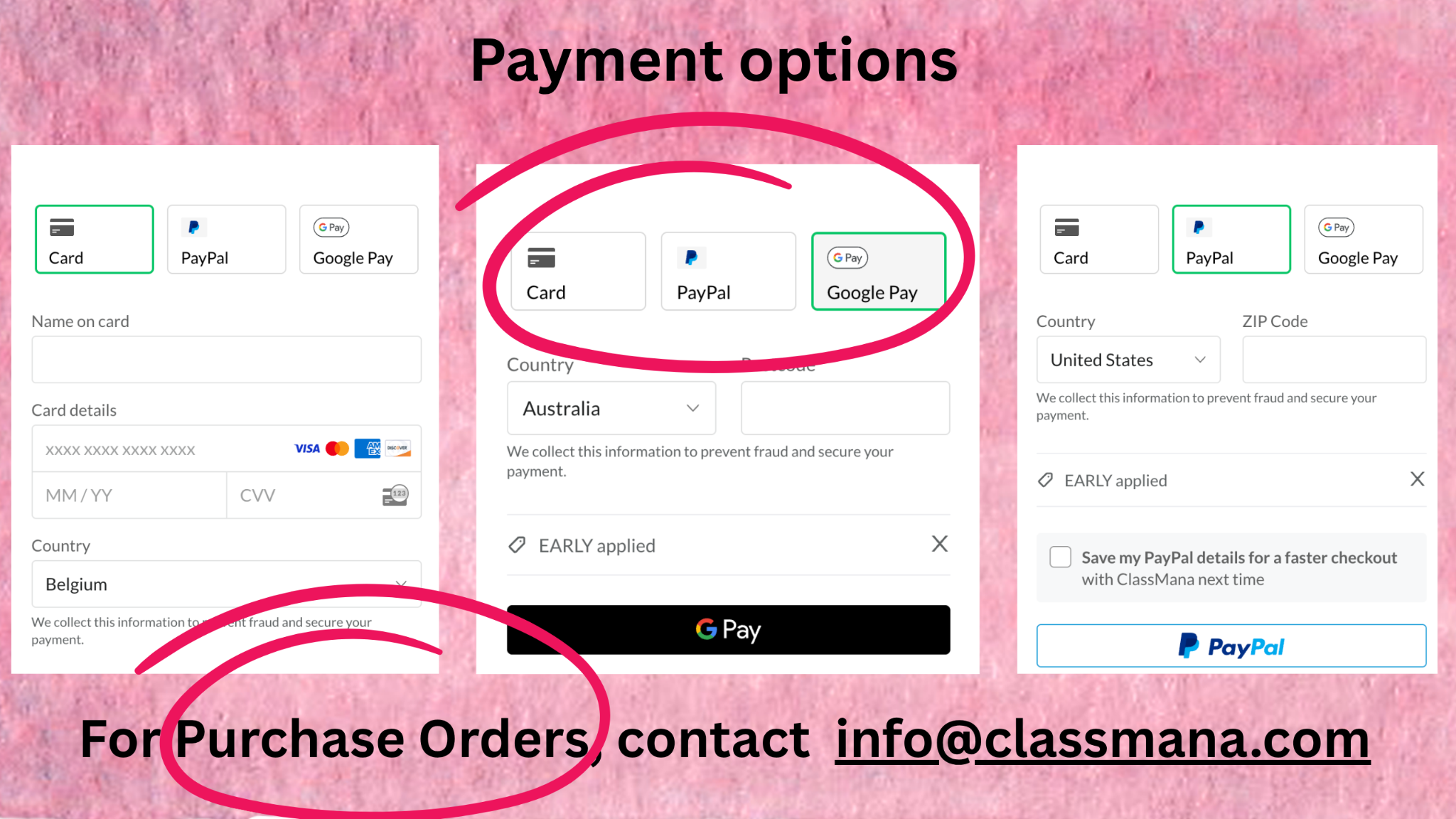
Our secure checkout system via Paddle supports standard credit cards (Visa, Mastercard, AMEX) as well as popular mobile wallets and online payment platforms.
When you select your billing country, the payment processor dynamically updates the available options, automatically revealing localized payment methods like iDEAL or Bancontact if they are supported in your area.
Paying by Purchase Order (PO)
We gladly accept official school-issued Purchase Orders!
- Request a Quote: Email info@classmana.com with your account needs to receive an official price quote (Net 30 terms).
- Submit to Your School: Provide the quote to your billing office. (Note: Your district must list our payment processor, Paddle.com Inc., as the official vendor).
- Email the PO: Send a copy of the finalized PO to info@classmana.com.
- Get Instant Access: We will unlock your Premium membership immediately while your district processes the invoice.
Need Paperwork for Approvals?
Email us to instantly receive our School Purchasing Kit, which includes Paddle's W-9 Form, a Sole Source Letter, and our Privacy Sheet (proving our zero-PII token login is fully FERPA and COPPA compliant).
Payment Failures & Troubleshooting
Transactions can occasionally fail during checkout. The most common reasons include:
- International Blocks: Since ClassMana is an international platform, some bank-issued school credit cards automatically block foreign transactions. You may need to call your bank.
- 3D Secure (2FA) Timeout: Your bank might require mobile app confirmation or an SMS code.
- Zip/Postal Code Mismatch: Ensure the postal code entered perfectly matches the billing address registered with the credit card.
Subscription Auto-Renewal & Cancellation
To ensure your classroom gameplay runs completely uninterrupted, ClassMana memberships paid via credit card, PayPal, or Google Pay are set to automatically renew at the end of each billing cycle.
You can cancel automatic renewals at any time.
For detailed instructions on managing your subscription, updating billing details, or handling renewals, please see our dedicated guide on Managing Your Licenses.
Frequently Asked Questions
Does one membership cover all my classes? Yes! Your premium membership is tied directly to your individual teacher account. You can create multiple classrooms, set up different student lists, and manage all your periods under a single subscription.
Do my students need email addresses for Premium? No. ClassMana uses a privacy-first strict zero-PII system. Students log in using unique secure tokens generated by you, ensuring full compliance with GDPR, COPPA, and school privacy regulations.
Do I have to use all the mechanical features at once? No, you can pace yourself using our flexible 6-Stage System. Start with basic points, and toggle on complex features (custom 3D avatars, team dynamics, gold economy) only when you are ready.
Are 1-to-1 devices required? Not necessarily! The entire system is fully manageable from the teacher's screen. You can project the dashboard, trigger Class Events, and log points manually for the class without students needing their own devices.