
Switching from ClassDojo to ClassMana
Moving from ClassDojo to ClassMana takes about 10 minutes. Your ClassDojo skills become ClassMana rewards, your points become Experience, and your students get an avatar that levels up with them.
This guide walks you through it step by step.
What maps to what
| ClassDojo | ClassMana |
|---|---|
| Positive skills | Rewards that give Experience |
| "Needs work" skills | Warnings that lower health (optional, Stage 3) |
| Points total | Experience and levels |
| Avatars | Animated 3D avatars with gear to unlock across 35 levels |
| Redeeming points | Powers (spent with mana) and the class shop (spent with gold) |
| Groups | Teams |
| Toolkit: timer | Timer and Stopwatch |
| Toolkit: random | Random Student picker |
| Toolkit: noise meter | Silence Challenge |
| Parent messaging | Not included: keep using ClassDojo or your school's messaging app |
Step 1: Get your student list
ClassMana only needs your students' first names. Copy them from your class list, a spreadsheet or your school's student information system, one name per line.
Duplicate names
If two students share a first name, add a last initial (e.g. "Emma S." and "Emma T."). ClassMana doesn't need last names, emails or photos.
Step 2: Create your class
- Sign up for ClassMana (free).
- Click Create Class and give it a name.
- Paste your student names in the first step of the setup wizard.
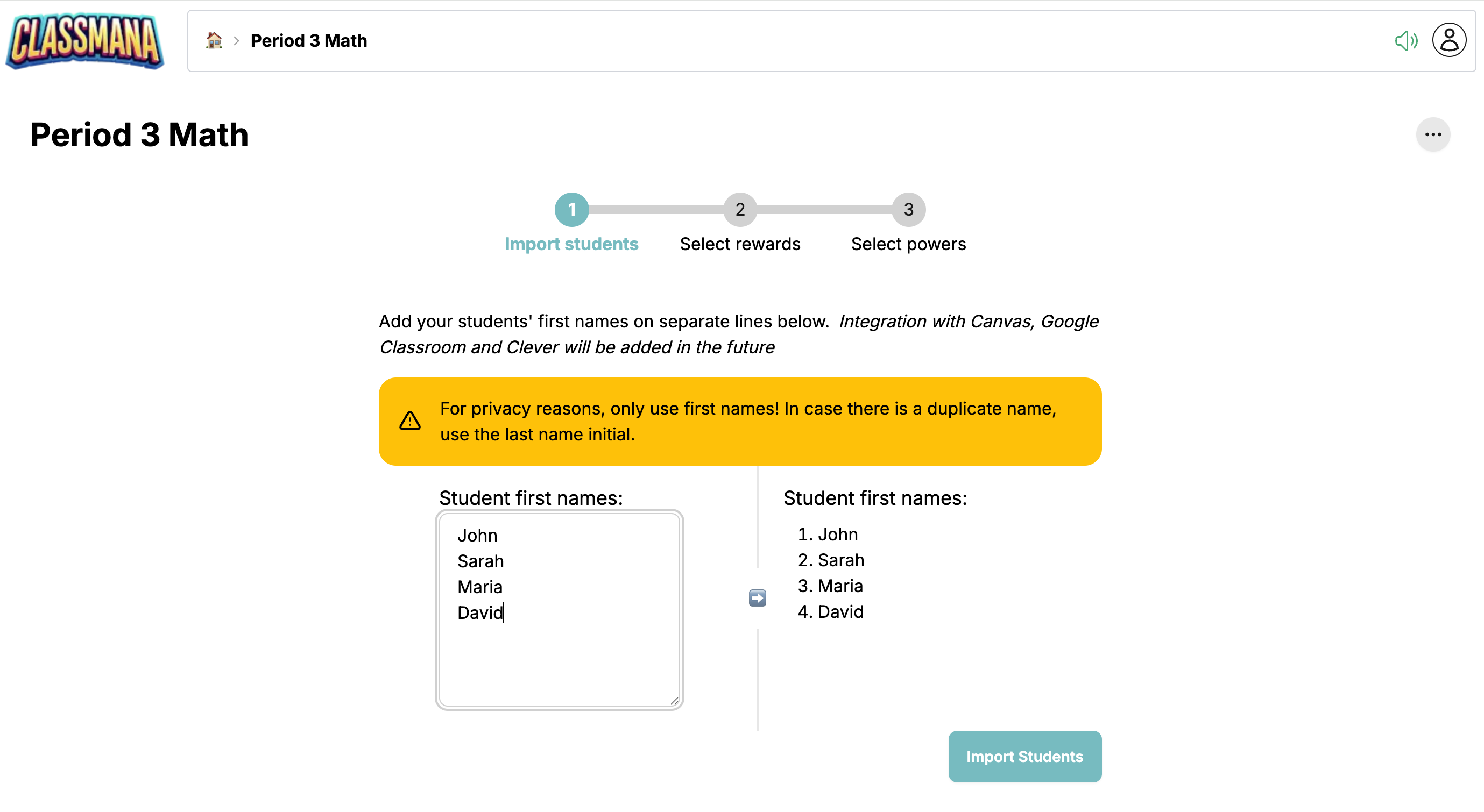
See Create a Class for details.
Step 3: Turn your skills into rewards
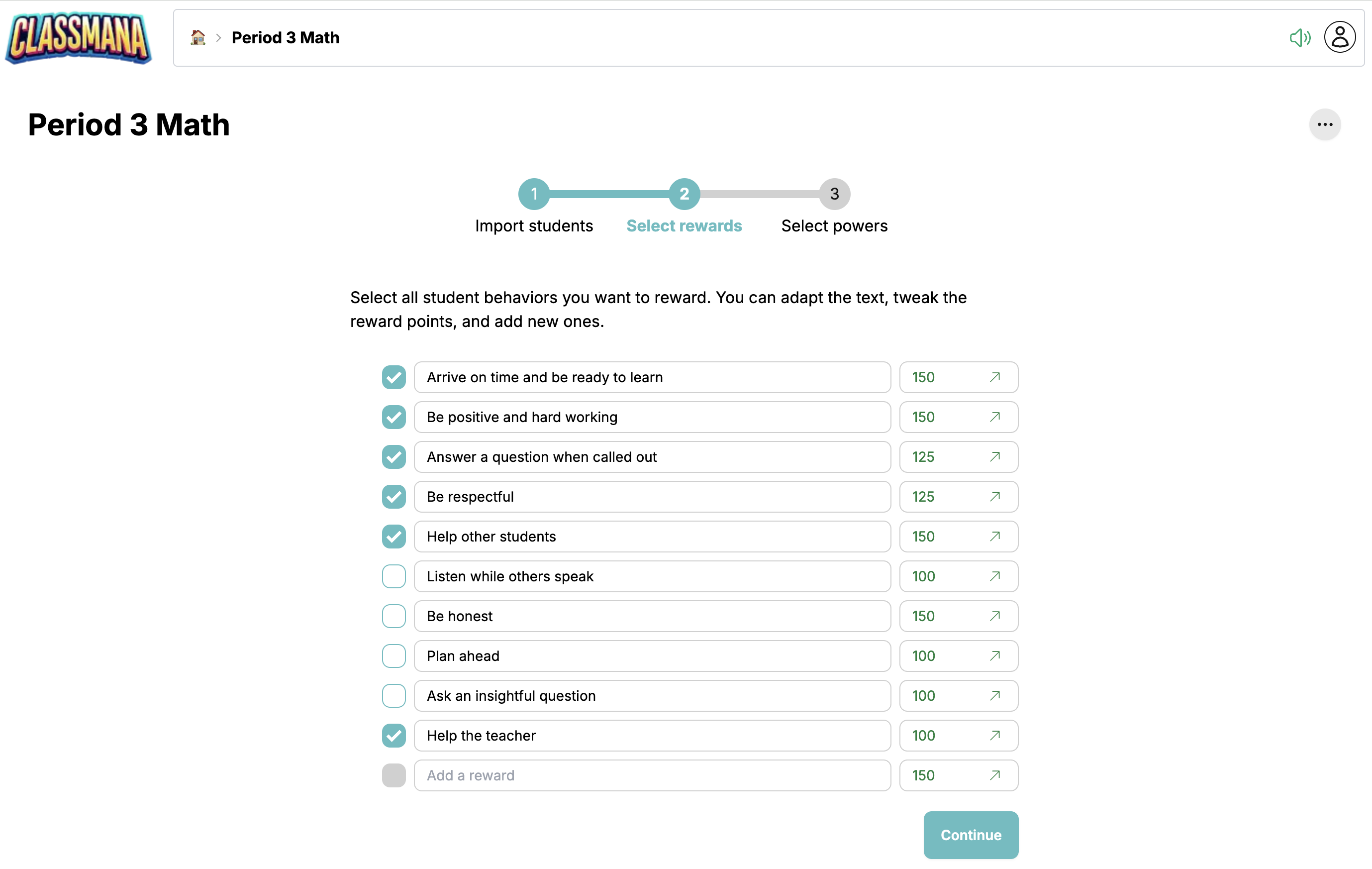
In the second step of the wizard, ClassMana suggests a list of rewards. Edit them to match the ClassDojo skills your students already know, like "Helping others", "On task" or "Working hard". Keeping the same names makes the switch easier for students.
Experience values
In ClassDojo a skill usually gives 1 point. In ClassMana you can give bigger achievements more Experience, which makes leveling up feel more meaningful.
Step 4: Pick powers instead of a prize box
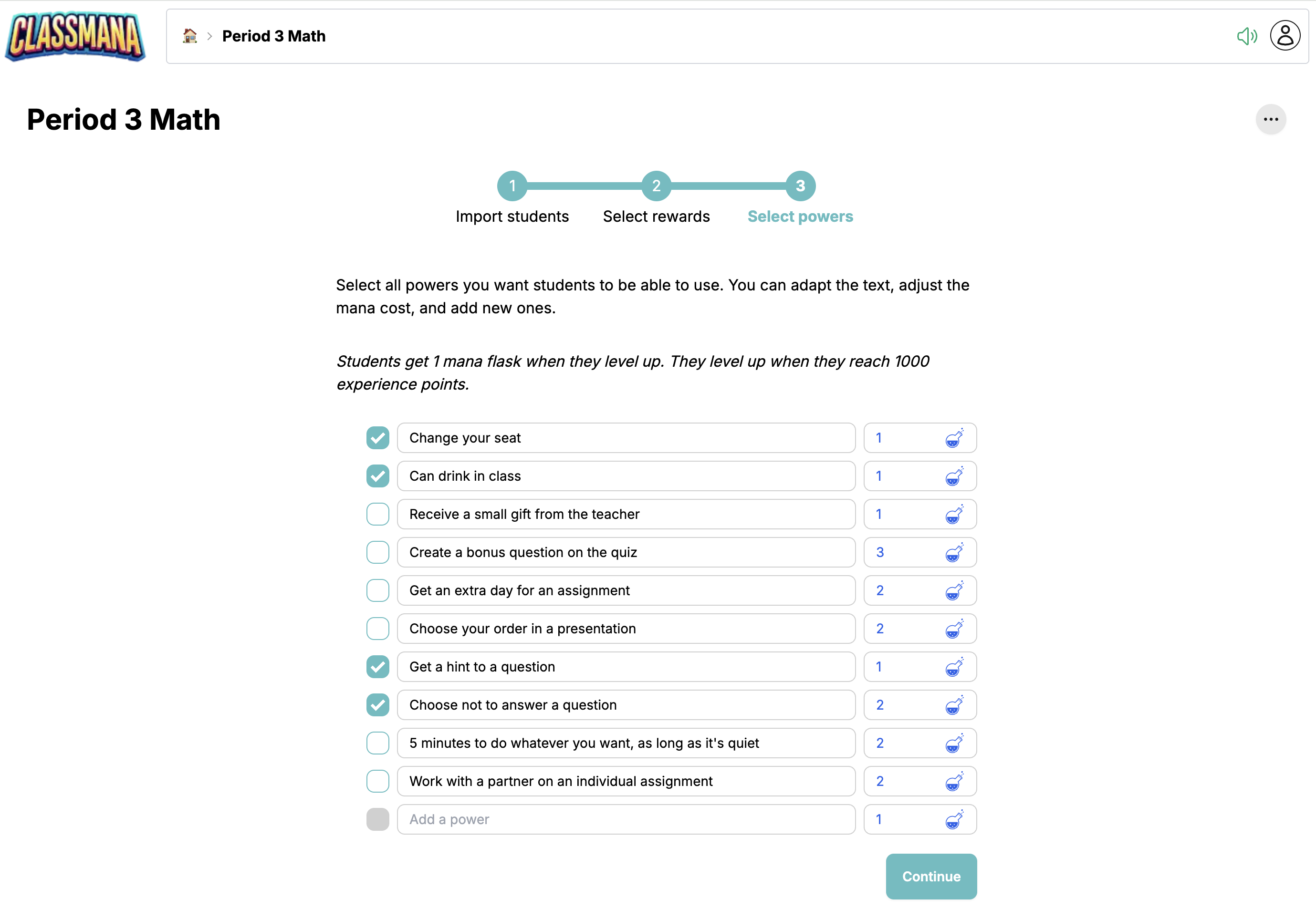
In the last step, choose the powers students can buy with mana. These are classroom privileges, like choosing their seat or listening to music during work time. If you used to let students redeem points for privileges, powers replace that, and ClassMana keeps track of everything for you.
Step 5: What about "needs work" points?
We recommend waiting a week or two before using negative points. Start with rewards only, so students fall in love with the game first.
When you're ready, enable Health & Warnings in your class settings. Warnings lower a student's health, but never take away Experience or levels. See Stage 3: Health.
Step 6: Start fresh, but be generous
Point totals don't carry over from ClassDojo. That's actually a good thing: everyone starts at level 1, which feels like the start of a new game.
To get things going, be generous in the first lesson. Some teachers give everyone a big Experience boost so students immediately see their first level-ups and powers unlock.
Step 7: Introduce it to your students
You don't need student logins on day one. Show the class dashboard on the projector, explain Experience and powers in a few minutes, and start rewarding.
In the next lesson, hand out login codes so students can customize their avatars. This is where most students get hooked. See Stage 2: Student Avatars.
Can I keep ClassDojo for parents?
Yes. ClassMana doesn't include parent messaging, so many teachers keep ClassDojo (or their school's messaging app) for communicating with families, and use ClassMana in class. If a parent asks how their child is doing, the Activity Log gives you a report per student for any period.