
September 24, 2026
Set up your rewards once, use them in all your classes
A few days ago, quests became shareable between classes. Now the rest of your class
configuration can be shared too.
If you teach five classes, you probably set up the same rewards five times, and then had to change them five times as
well. Not anymore: you now set them up once, in one class, and your other classes can use that same list.
🔗 What Can Be Shared
- 👍 Rewards
- 🚫 Warnings
- ✨ Powers
- 🏷️ Shop items
- 🎲 Mystery events
Each one is shared separately. So a class can use the rewards of one class and the powers of another, and still keep
its own shop.
Your students, teams, levels, health, gold and activity history always stay with their own class. Only the lists of
items are shared.
⚙️ One Toggle Per Panel
Open Configure class and go to Rewards, Warnings, Powers, Shop or Mystery Event. If you have more than one class,
you'll see a new toggle at the top.
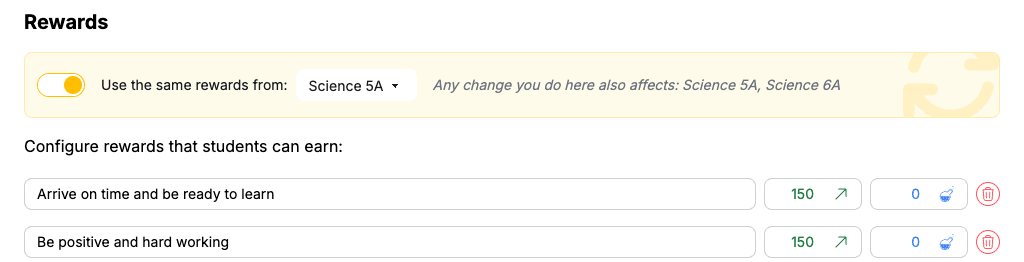
A short note under the toggle always tells you which other classes a change will affect, so you won't change another
class by accident.
Switch the toggle on and pick the class to take the items from.
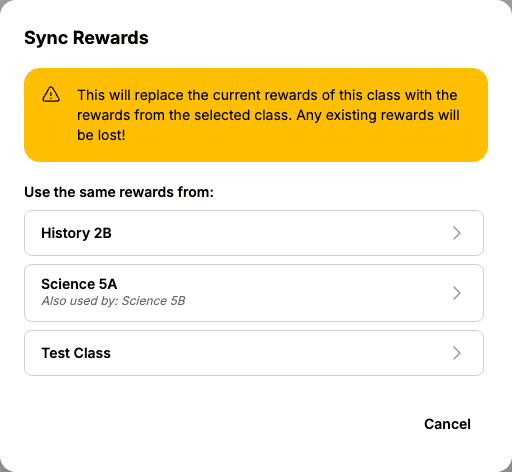
- Toggle on: this class now uses the list of the class you picked. Any edit you make applies to both classes.
- Toggle off: the class gets its own copy of the shared list back, so nothing is lost. From then on you can edit it without affecting the other classes.
🛡️ Safe by Design
- Your history stays readable. Activity log entries keep the item name and the points they were given with, even if you later rename or delete the item.
- Archiving is safe. If you archive or delete a class that other classes follow, ClassMana first copies its configuration to those classes so they keep working.
- Students notice nothing. They simply see the powers and shop items of their class, and using or buying them works as before.
🗺️ See All Your Links on One Page
Want to see how all your classes are linked? Click your avatar in the top right and open Profile → Shared
Configuration. You'll see a table with one row per class and one column per category. The class the others follow is
marked with a ⭐.
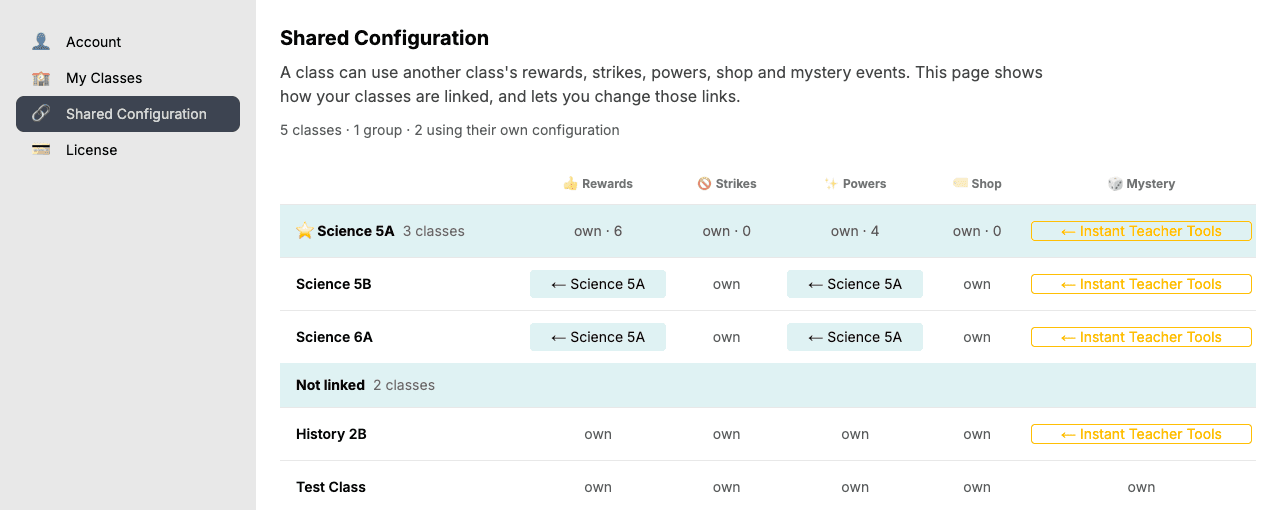
Click any cell to change what that class follows, or to give it its own items again.
🧭 Where to Start
The quickest way is the Shared Configuration page. Pick the class whose rewards you like most, then click the
Rewards cell of each of your other classes and let them follow that class. Repeat for powers, warnings, the shop or
mystery events if you like.
For all the details, read the
Shared Configuration guide.
🧙 Yes, We're Still Working on Hero Types!
You might be wondering what happened to Hero Types. Don't worry, they're coming! While I keep releasing smaller
improvements like this one, work on Hero Types continues every day in the background.
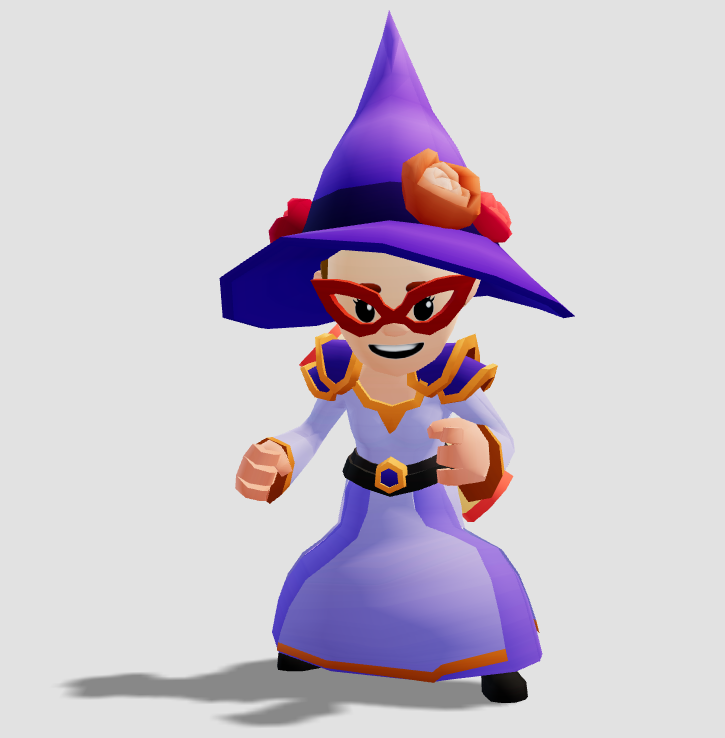
Wizard
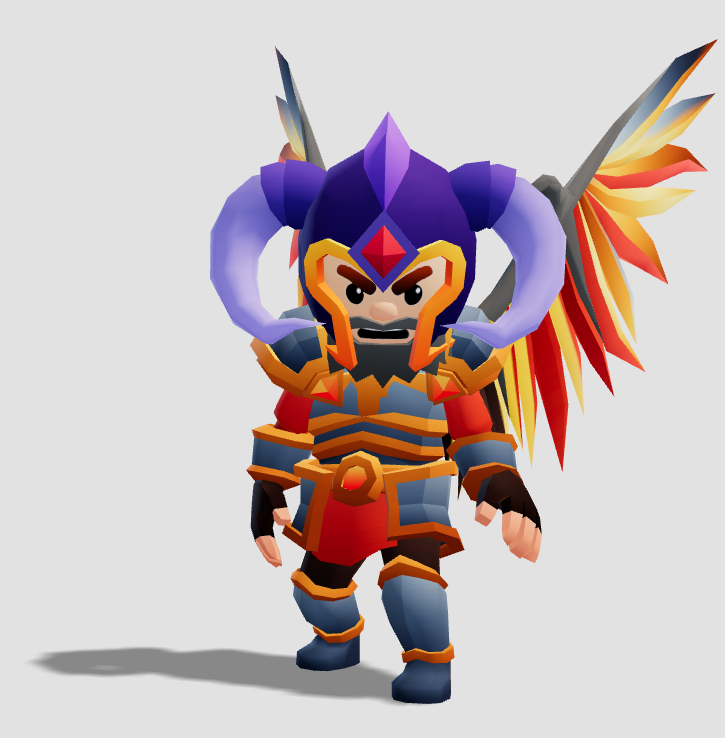
Knight
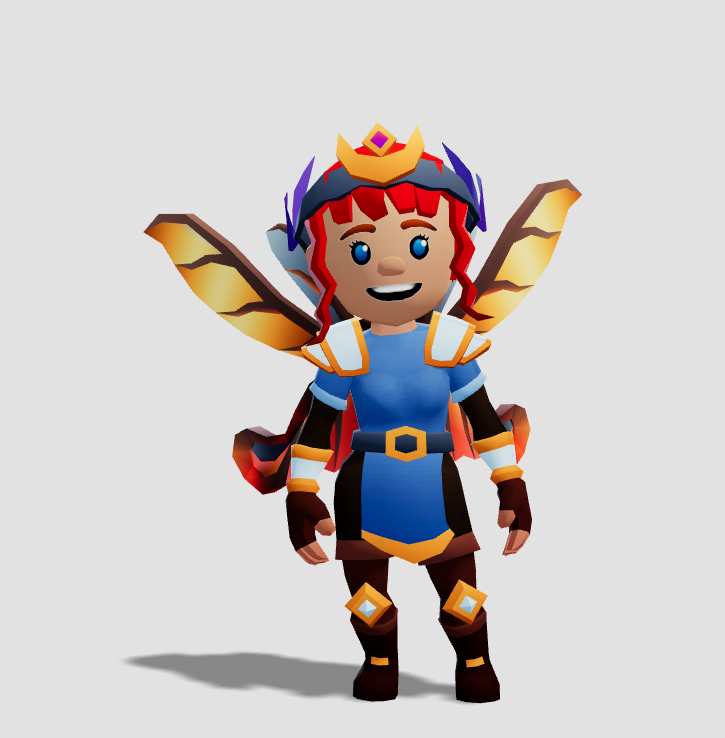
Ranger
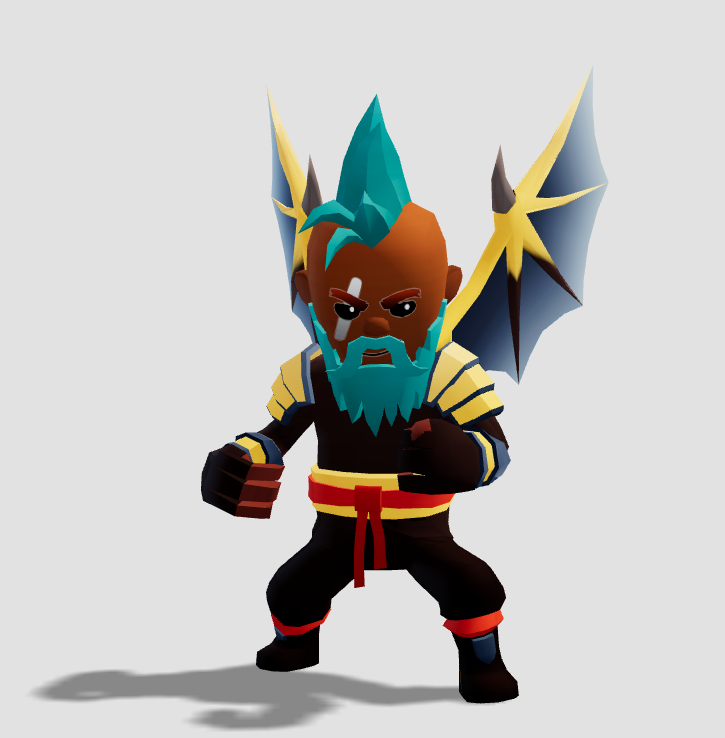
Ninja
Soon your students will be able to choose to become a Wizard, Knight, Ranger or Ninja. I can't wait to show you more!
💬 Keep the Ideas Coming
Like the shared quests, this came straight from teacher feedback. If there's something else you keep wishing ClassMana
could do, let me know. And if you'd like to help shape what's next, join the conversation in our
Facebook group.
Join the Conversation! Have thoughts or questions about this article? Join our ClassMana Facebook Community to share your ideas, ask questions, and connect with other like-minded educators!