
Stage 1: Rewards & Powers
Stage 1 is the foundation of ClassMana's gamification system. You reward students with experience points for good behavior. Every 1000 experience earned, students level up and gain 1 mana. Students can spend their mana to cast powers - special classroom perks and privileges.
This stage requires no student logins - you control everything from your teacher dashboard, making it perfect for getting started.
Prerequisites:
- Registered account
- Class created with students added
Quick Start Guide
From the class dashboard, you can reward students and help them use powers.
1. Reward Students
Reward students for positive behaviors using the rewards you configured:
- See Giving Rewards for detailed instructions on how to reward individual or multiple students
2. Help Students Use Powers
When students earn enough mana and want to use their powers:
- See Using Powers for detailed instructions on casting powers for students
Need to Adjust?
You can customize rewards and powers anytime from Class Settings. See the Customizing Your Configuration section below.
Understanding the System
Experience & Leveling
**Experience points ** are the primary currency students earn:
- Students gain Experience by receiving rewards from you
- Every 1000 Experience earned = 1 level up
- Level 1 → Level 2 requires 1000 Experience total
- Level 2 → Level 3 requires 2000 Experience total
- Level 3 → Level 4 requires 3000 Experience total
- And so on...
Leveling up is exciting for students and provides immediate feedback on their progress.
Mana System
Mana is the special currency students use to cast powers:
- Students earn 1 mana each time they level up
- Maximum mana capacity: 5 mana
- Excess mana from leveling up when at max capacity is lost
- Students "spend" mana to activate powers
Example: A power that costs 2 mana can be used twice by a student with 5 mana, leaving them with 1 mana remaining.
Weekly Mana Distribution
Set up automatic mana distribution to keep all students engaged, even those who aren't leveling up frequently. See the Weekly Mana Schedule section below.
Customizing Your Configuration
You can customize rewards, powers, and mana distribution anytime to match your teaching style and classroom needs.
Customizing Rewards
You can adjust your rewards whenever needed:
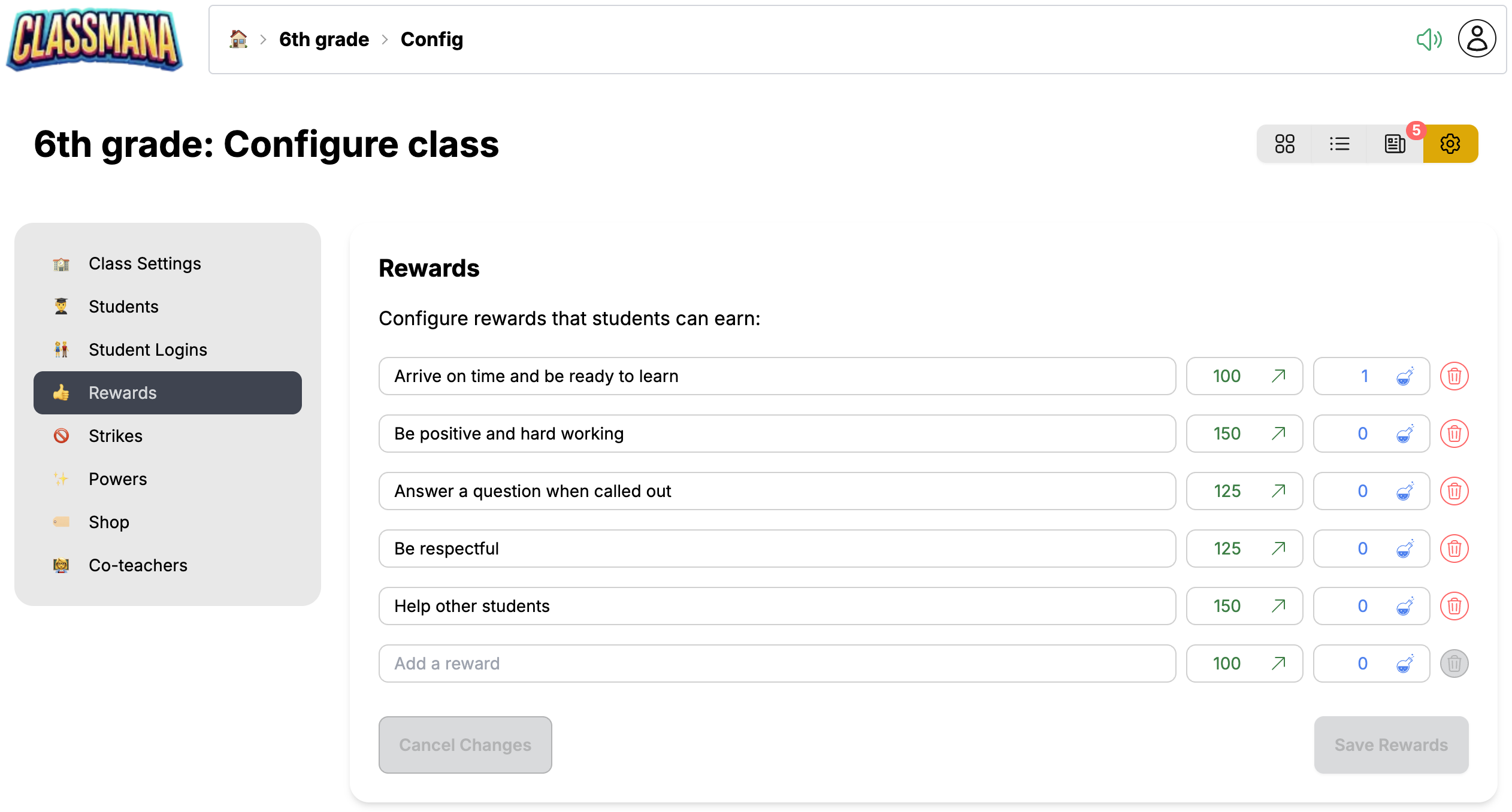
- Navigate to Class Settings → Rewards
- Edit existing rewards:
- Click in the description field to change the text
- Adjust point values (Experience, Mana, Health, Gold)
- Add new rewards:
- Use the empty row at the bottom
- Type a description and set point values
- Click "Save Rewards"
- Delete rewards:
- Click the delete icon next to any reward
Reward Ideas
You can mix multiple point types in a single reward. For example: "Amazing project!" could give 300 Experience + 1 Mana + 50 Gold to recognize outstanding work.
Customizing Powers
You can enable/disable and customize powers to match what works in your classroom:
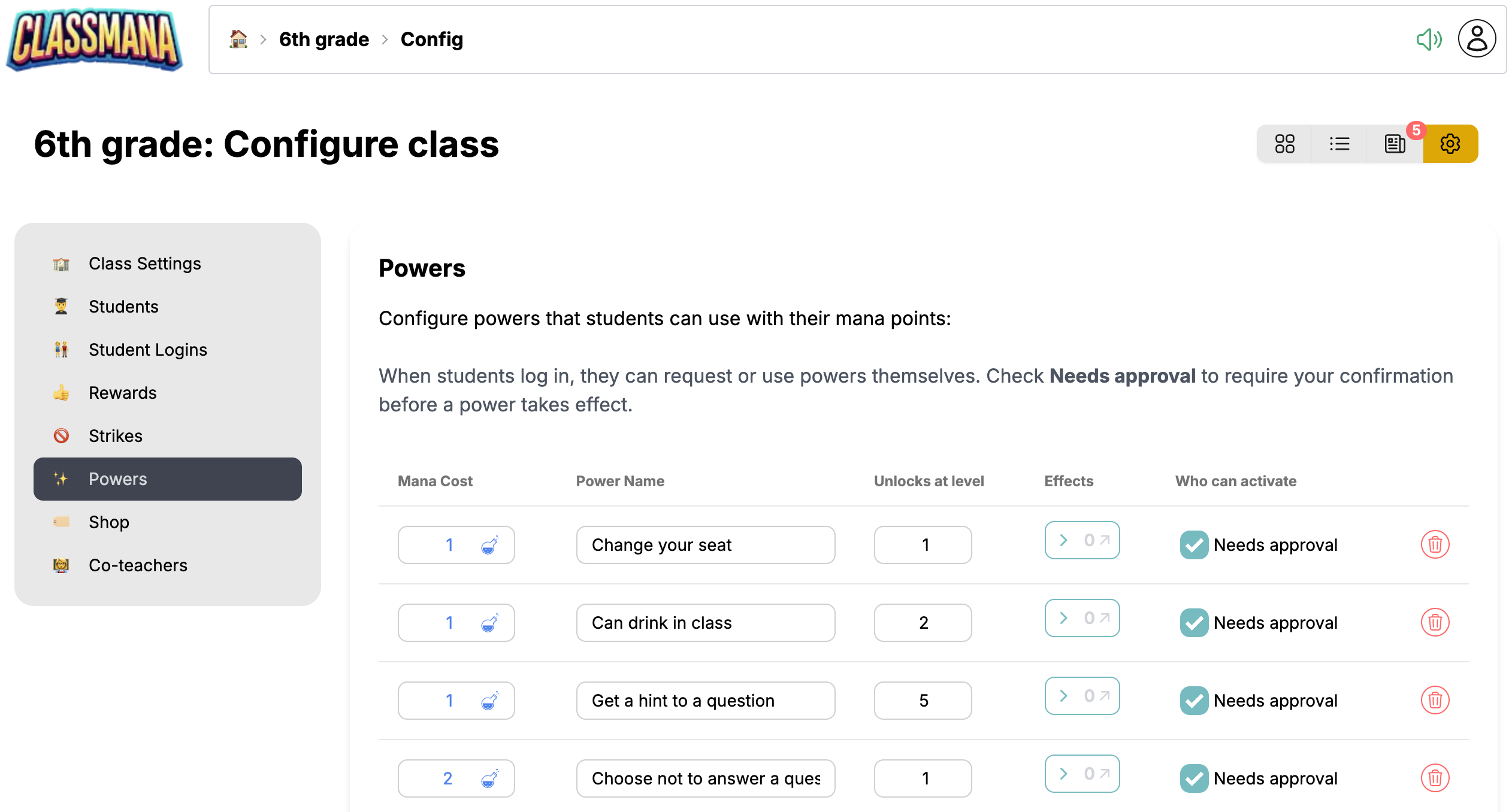
To customize:
- Navigate to Class Settings → Powers
- Enable/disable powers:
- Toggle the checkbox next to each power
- Only enabled powers appear in the power panel
- Set mana costs:
- Adjust the mana cost (1-5) for each power
- Higher costs = more valuable/rare powers
- Customize names:
- Click the power name to edit it
- Make names descriptive and exciting for your students
- Click "Save Powers"
Power pricing guidelines:
- 1 mana - Daily perks (Choose seat, Listen to music, Use fidget toy)
- 2 mana - Weekly perks (Homework pass, Extra recess time, Use notes on quiz)
- 3 mana - Special privileges (Sit with friend, Class job, Pick activity)
- 4-5 mana - Premium rewards (Bonus test points, Skip hardest question, Choose class movie)
Power Pricing
Start with low-cost powers (1-2 mana) like "Choose your seat" or "Eat a snack in class", and add higher-cost powers (3-5 mana) like "Homework pass" or "Extra credit assignment" for long-term goals.
Team Targeting
If you have Teams (Stage 5) enabled, powers gain additional options: you can set a target (self, teammate, or whole team) and a usage reward (experience bonus for the caster). See Powers — Team Targeting for details.
Setting Up Weekly Mana Schedule
Beyond leveling up, you can set up automatic mana distribution to keep all students engaged:
- Navigate to Class Settings → Class (the main configuration panel)
- Scroll to the "Weekly Mana Schedule" section
- Select which days to distribute mana (e.g., Monday, Wednesday, Friday)
- Set the amount per distribution (typically 1 mana)
- Enable the schedule with the toggle
- Click "Save Class Settings"
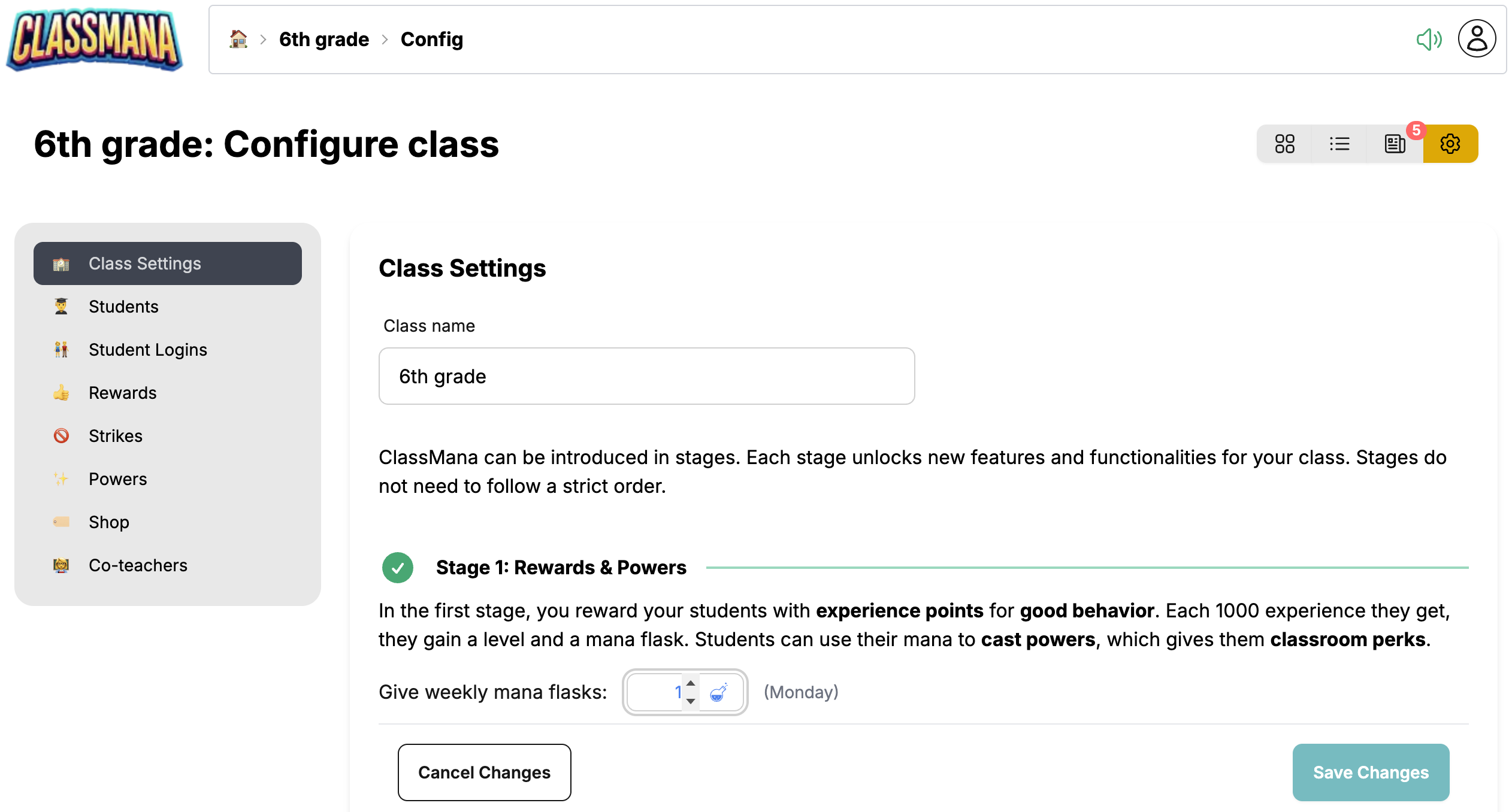
This ensures all students receive regular mana, not just those who are leveling up frequently. It keeps the engagement high across your entire class.
Mana Cap
Remember that students can only hold 5 mana maximum. Excess mana is lost, so encourage students to use their powers regularly!
Best Practices
Getting Started
- Start simple - Begin with 3-5 rewards and 3-5 powers
- Explain the system - Make sure students understand how Experience, levels, and mana work
- Be consistent - Reward frequently and fairly
- Celebrate milestones - Announce level-ups to build excitement
- Honor powers immediately - When a student uses a power, fulfill it right away
Maintaining Engagement
- Small, frequent rewards work better than rare large ones
- Public recognition of level-ups motivates the entire class
- Adjust power costs if needed - make sure they're appropriately valued
- Add new powers periodically to keep things fresh
- Track power usage to see what students value most
Common Pitfalls to Avoid
- Don't forget to honor powers - Students will lose trust if you don't follow through
- Don't price all powers the same - Create variety with different costs
- Don't make rewards too rare - Students should level up regularly
- Don't let mana accumulate - Weekly distribution keeps everyone engaged
Next Steps
Once your class is comfortable with Stage 1, consider expanding:
- Stage 2: Student Accounts - Give students their own logins and 3D avatars
- Stage 3: Health System - Add consequences for misbehavior with health points
- Stage 4: Gold & Shop - Create a classroom economy with gold currency
For detailed usage instructions:
- Giving Rewards - Complete guide to rewarding students
- Using Powers - Complete guide to casting powers
Also check out Best Practices for more tips on keeping students engaged throughout the year.