
Monster Battle
Monster Battle is an interactive classroom game where students battle 3D animated monsters by answering questions. Teachers control the flow, mark answers, and reward students for correct responses. When students answer correctly, the monster takes damage. When they answer incorrectly, the class loses energy!
There are two versions of this tool:
- Free Teacher Tool - Available to all teachers for quick classroom engagement
- Class Adventures - Connects to your classroom system to reward students with XP, gold, health, and mana
Accessing Monster Battle
Free Teacher Tool Version
Navigate to the Monster Battle tool from:
- 🏠 Dashboard → Teacher Tools → Monster Battle
Class Adventures
To access the classroom-integrated version:
- Go to your class dashboard
- Find the Class Adventures section
- Click Monster Battle
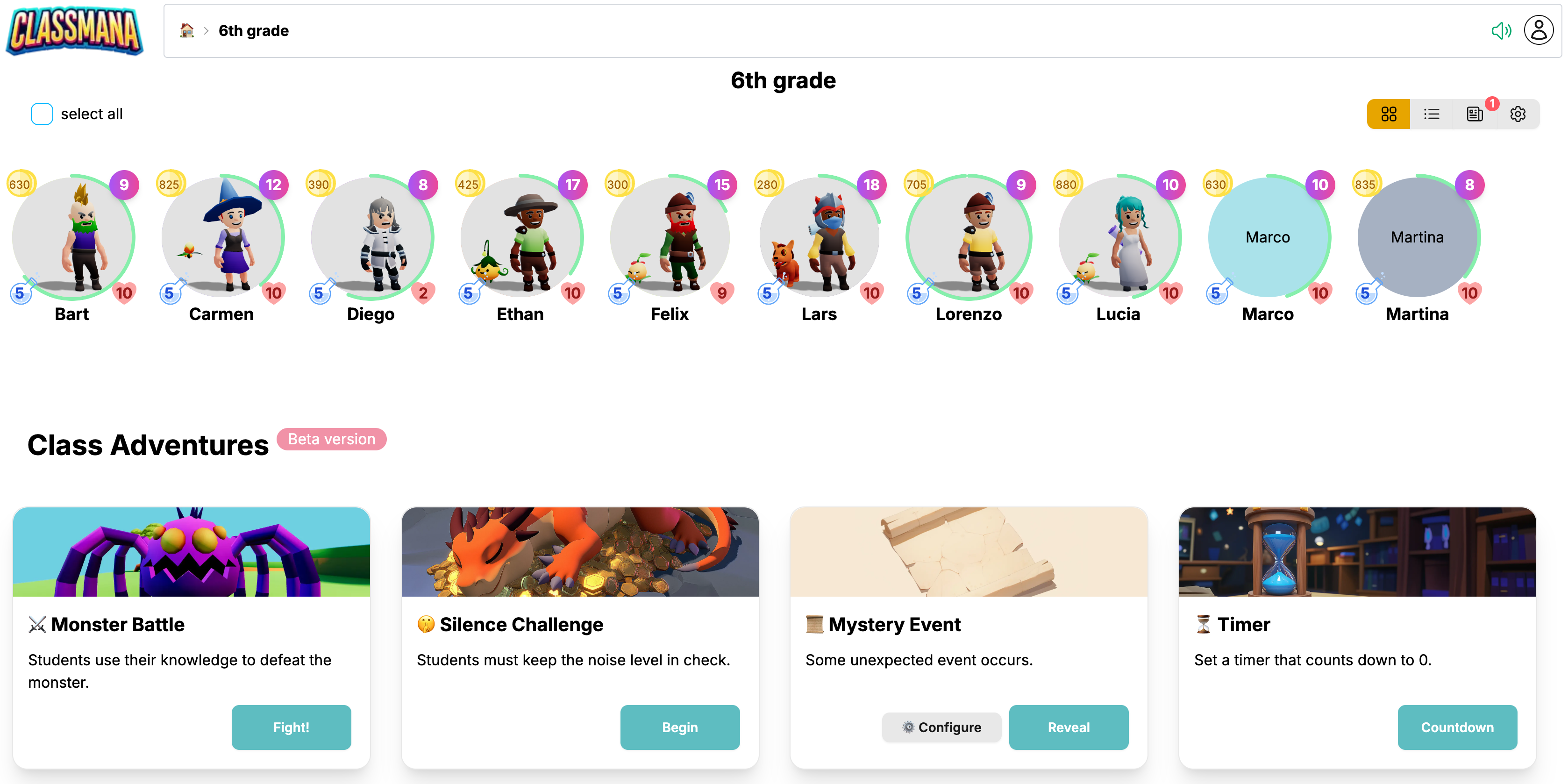
This version includes all the features below PLUS individual student tracking, random student selection, and the ability to reward students with experience, mana, gold, and health.
How it Works
The Monster Battle follows a simple flow:
- The teacher asks a question verbally
- A random student is selected (Class Adventures version only)
- The student answers
- Teacher marks the answer as correct or incorrect
- Damage is dealt - to the monster (correct) or to the class (incorrect)
- Battle continues until the monster is defeated, the class loses all energy, or max questions are reached
Step 1: Choose Your Monster
When you first open Monster Battle, you'll see a selection screen with different monsters to choose from:

Each monster has a unique difficulty rating. Higher difficulty monsters require more correct answers to defeat.
Click on a monster to select it and proceed to configuration.
Step 2: Configure Battle Settings
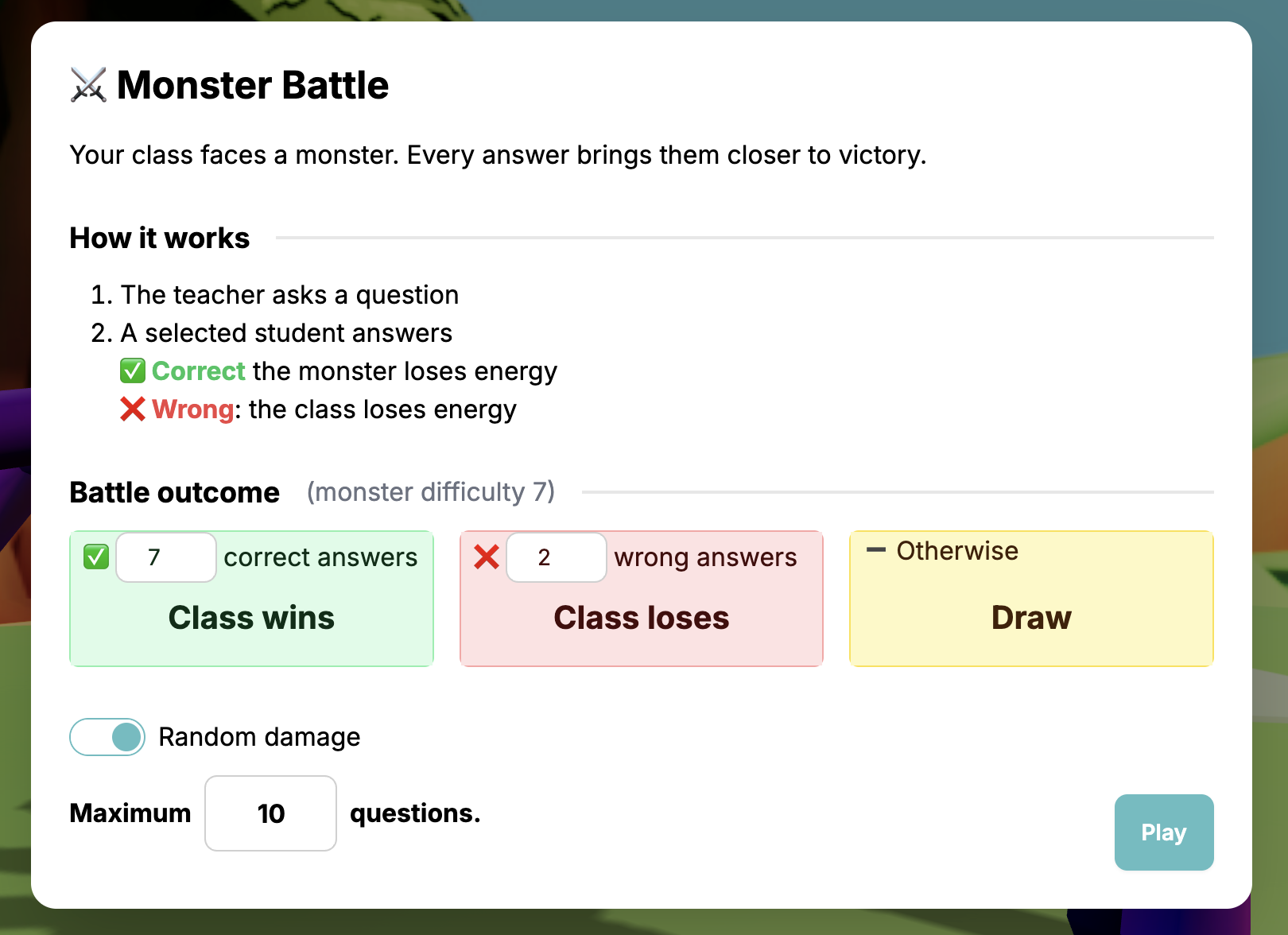
Before starting the battle, you'll see a configuration dialog:
Battle Parameters
1 Maximum Questions
Set how many rounds the battle will last. The battle ends when this limit is reached (if neither side has lost all their energy).
2 Win/Lose Thresholds
Based on the monster's difficulty, you'll see the conditions for victory and defeat:
- ✅ Correct Answers - How many correct answers the class needs to win
- ❌ Wrong Answers - How many wrong answers cause the class to lose
- Anything in between results in a Draw (monster flees)
3 Random Damage (optional)
Enable this to add variance to the damage dealt. When enabled, damage will vary slightly with each answer, making the battle less predictable.
Class Adventures
Reward Configuration
4 Per Correct Answer Rewards
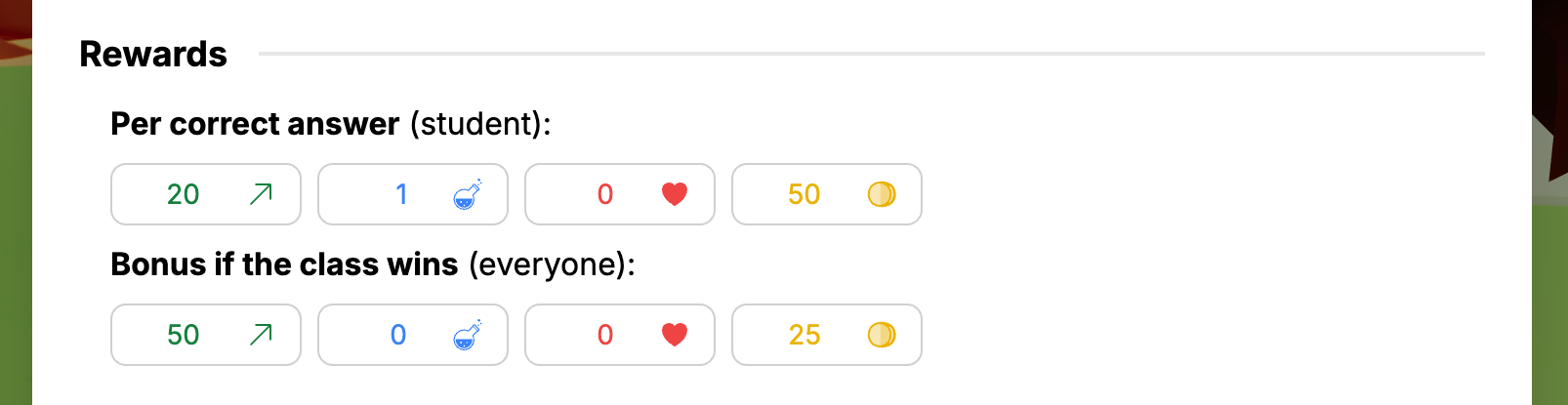
Set rewards that individual students earn for each correct answer: Experience, Mana, Health (if enabled for your class), Gold (if enabled for your class).
5 Victory Bonus Rewards
Set bonus rewards that ALL students receive if the class wins the battle:
- These are separate from individual correct answer rewards
- Encourages teamwork - everyone benefits from a class victory
Randomly Pick From (Teams)
Pick Types
If you have Teams enabled, you can choose which pick types are active under "Randomly pick from":
- Student — a random individual student is picked to answer (default)
- Team — a random team is picked, and the whole team answers together
- Whole Class — the entire class answers together
You can enable any combination, but at least one must stay active. During battle, each question randomly selects from the enabled pick types.
Your Settings Are Saved
ClassMana automatically saves your configuration settings. The next time you start a Monster Battle on the same device, your previous settings will be pre-filled.
Click Play to begin the battle!
Step 3: Run the Battle
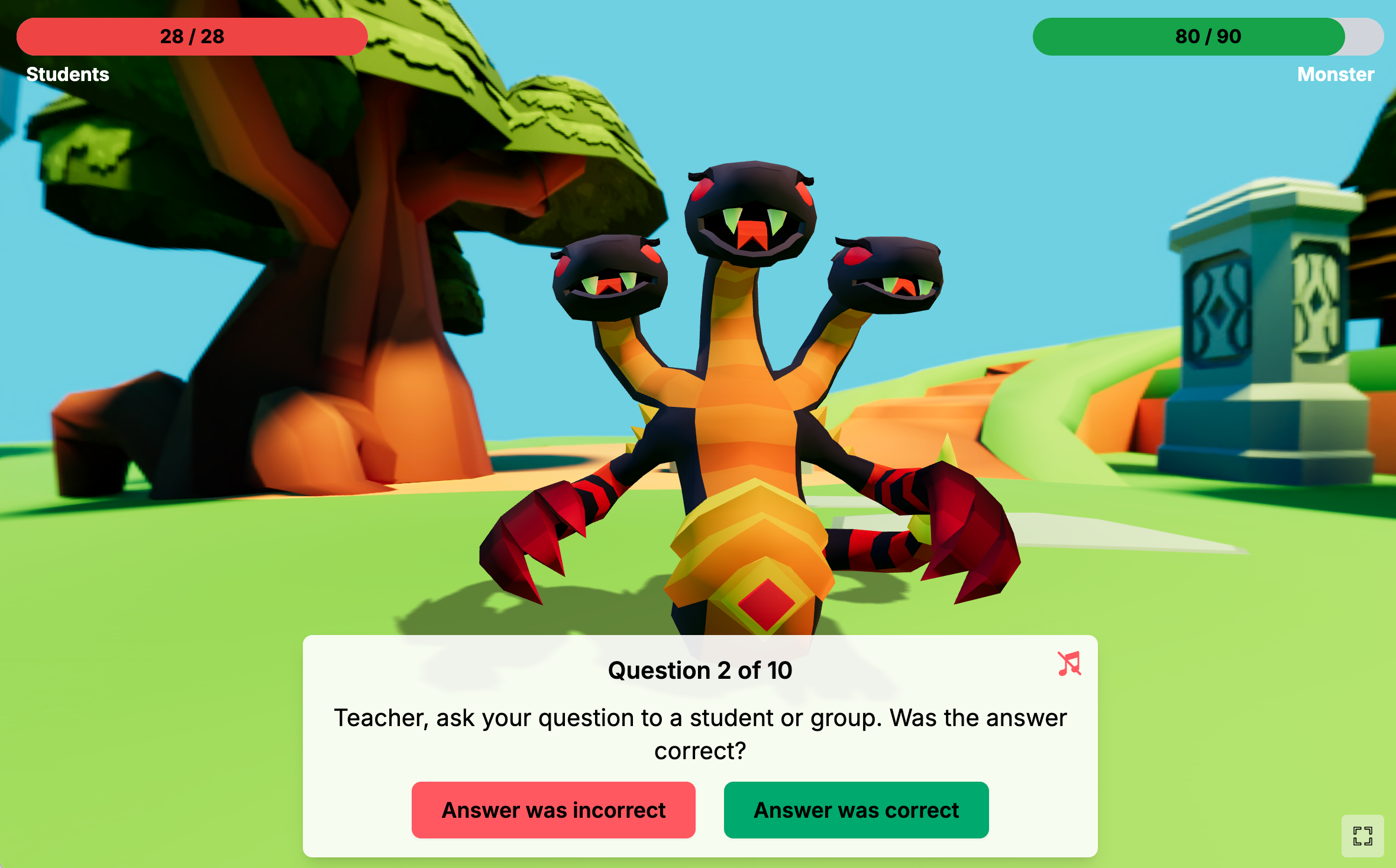
Once the battle starts, you'll see the main battle screen:
Key elements:
- Monster Animation - The 3D monster with idle, attack, and hurt animations
- Health Bars - Shows energy for both Students (left) and Monster (right)
- Question Counter - Displays current question number (e.g., "Question 3 of 10")
- Floating Damage Numbers - Animated numbers show damage dealt on hits
- Music Toggle - Turn battle music on or off
Gameplay Flow
Free Teacher Tool:
- Ask your question to the class or a chosen student
- After they answer, click Answer was correct or Answer was incorrect
- Watch the animated damage!
- Repeat until the battle ends
Class Adventures
With Class Adventures:
- Ask your question to the class. Give them time to think.
- Click Reveal who needs to answer — a random student, team, or the whole class is selected (depending on your pick type settings)
- The selected student, team name, or "Whole Class" appears on screen
- After they answer, click Answer was correct or Answer was incorrect
- Watch the animated damage!
- Repeat until the battle ends
Reward distribution by pick type:
- Student pick — the student receives full credit
- Team pick — the reward is split equally among non-absent team members
- Class pick — the reward is split equally among all non-absent students
Fractional rewards are rounded up per student.
Step 4: Battle Outcomes
The battle can end in three ways:
Class Wins 🏆
The class wins when the monster loses all its energy (enough correct answers).
Class Adventures
- All students who answered correctly receive their individual rewards
- ALL students receive the victory bonus rewards
- Click Apply Rewards to add rewards to student profiles
Class Loses 💔
The class loses when they run out of energy (too many wrong answers).
Class Adventures
- No rewards are given to anyone
Draw 🤝
A draw occurs when the maximum questions are reached, but neither side has lost all their energy. The monster flees!
Class Adventures
- Students keep their individual rewards for correct answers
- No class victory bonus is given
Applying Rewards
Reward Application
At the end of a battle (win or draw), you'll see a summary showing:
- Which students answered correctly (and how many times each)
- Total rewards earned with icons for XP, gold, health, and mana
- Individual correct answer rewards
- Victory bonus (if the class won)
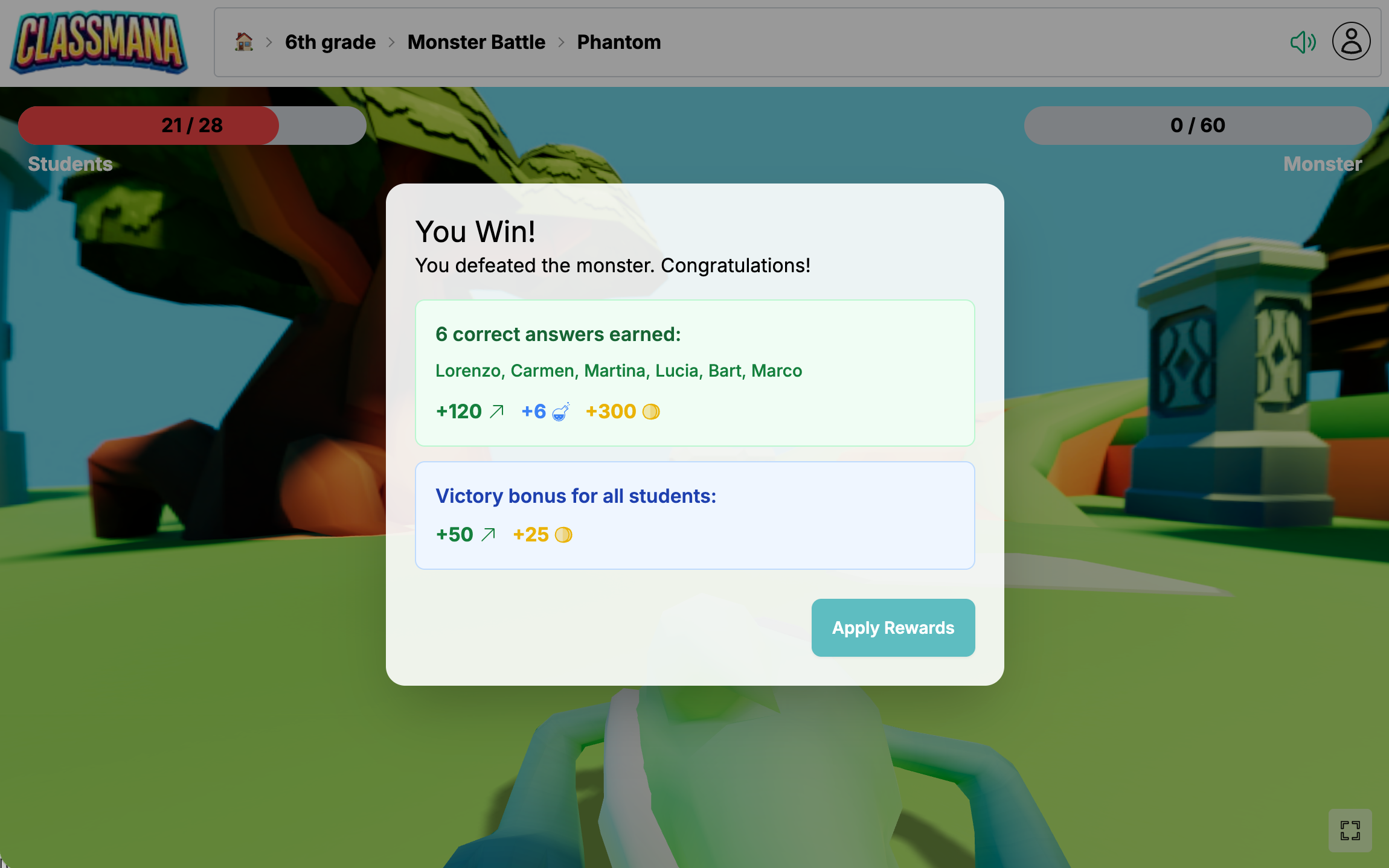
Click Apply Rewards to add all rewards to student profiles. Activity log entries are created automatically with comments like "Monster Battle Correct Answer" or "Monster Battle Victory Bonus".
Student Eligibility
- Absent students are excluded entirely — they cannot be selected and receive no rewards
- Fallen students (0 health) can still be selected to answer questions and earn individual rewards for correct answers. However, they do not receive the class-wide victory bonus.