Max Health & Mana
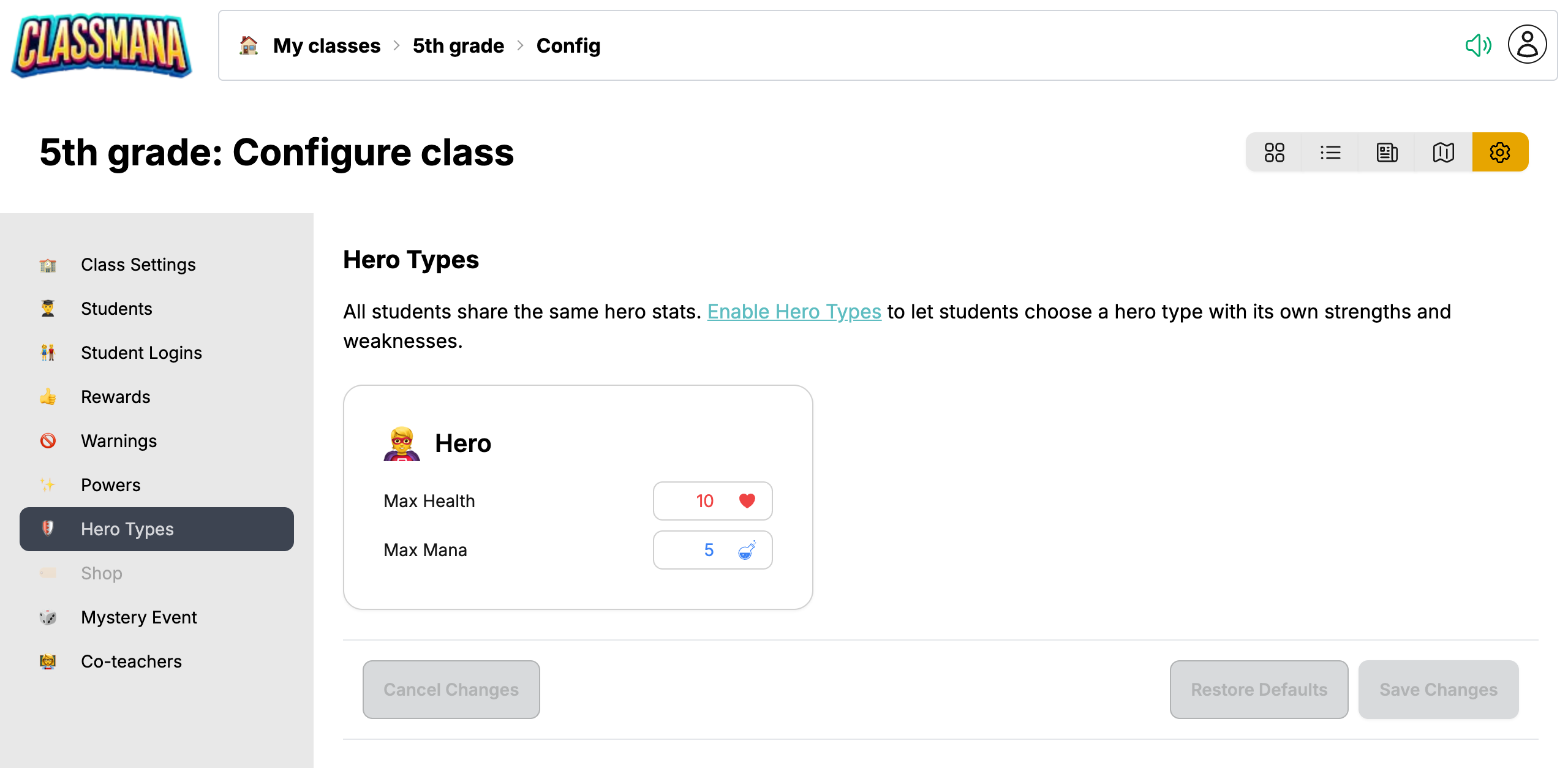
By default, students can have at most 10 health and 5 mana. You can change these maximums for your class, for example to let students save up mana for an expensive power, or to give them more room before they fall.
Changing the Maximums
- Open the class configuration with the gear icon on your class dashboard
- Go to the Hero Types panel in the sidebar
- Change Max Health and Max Mana on the Hero card
- Click Save Changes
- Values range from 1 to 99
- Restore Defaults puts back 10 health and 5 mana
- Cancel Changes restores the last saved values
You don't need to enable hero types for this. As long as hero types are off, the panel shows this single Hero card, and its values apply to every student in your class.
Max health needs Health
Max Health can only be changed when Health is enabled in Class Settings.
What Happens When You Save
Students' current health and mana are adapted right away:
- If you lower a maximum, students above it go down to the new maximum
- If you raise a maximum, students keep the same percentage, rounded up
Example: You raise max mana from 5 to 10. A student with 5 of 5 mana now has 10 of 10. A student with 2 of 5 mana now has 4 of 10.
From then on, the new maximums apply everywhere:
- Rewards, level-ups and the weekly mana and health stop at the maximum
- The mana and health bars on the dashboard and in the student dialog show the new maximum
- New students start with full health
- A power can't cost more mana than the maximum
Bigger mana pools, bigger powers
With a higher max mana, you can add powers that cost more than 5 mana. Students then need to save up for several weeks, which makes those powers feel special.
With Hero Types
When you enable hero types, the panel shows a card for each hero type instead of the single Hero card. Every hero type has its own max health and mana. See Customizing Health and Mana.
When you turn hero types off again, your students go back to the values on the Hero card.
Next Steps
- Stage 1: Rewards & Powers - How students earn and spend mana
- Stage 3: Health System - Warnings, falling and redemption
- Stage 6: Hero Types - Different maximums per hero type