
Co-teachers
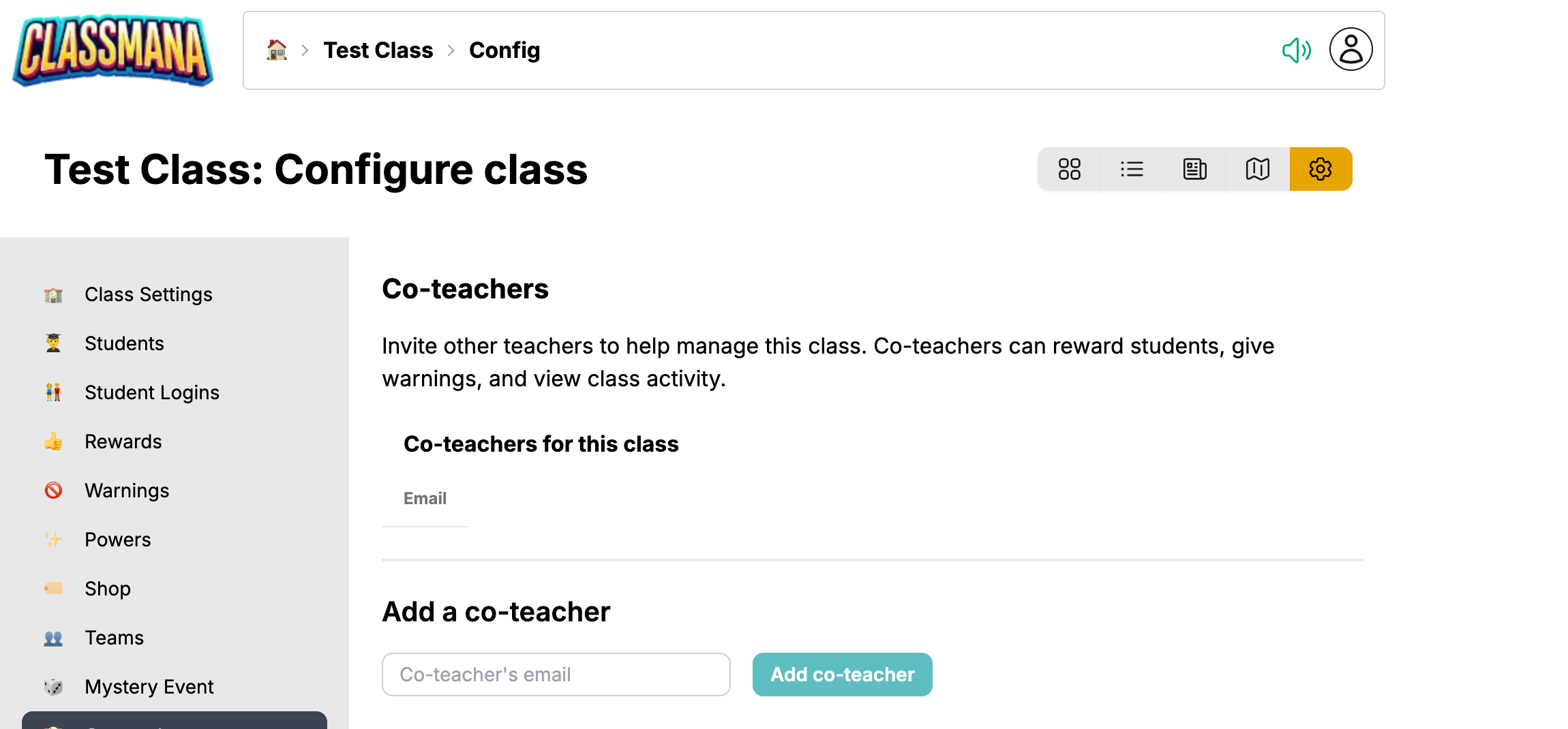
Invite colleagues to help run your class from the Co-teachers panel of the class configuration screen.
What a Co-teacher Can Do
- Give rewards, gold, mana and health
- Give warnings and redeem fallen students
- Use powers and approve or deny student requests
- View the class dashboard and the activity log
What a Co-teacher Cannot Do
- Open the class configuration screen
- Change class settings, rewards, powers, warnings or shop items
- Add or remove students
- Archive or delete the class
More permission levels coming soon
All co-teachers currently get the same access. Separate Full Access and View Only levels are planned for a future update.
Adding a Co-teacher
- Open Configure class → Co-teachers
- Type the teacher's email address under Add a co-teacher
- Click Add co-teacher
The teacher needs a ClassMana account with that exact email address. If no account exists yet, ClassMana tells you so. Ask them to register first (registering is free), then add them again.
The class appears in their dashboard right away, so there is no invitation to accept.
Removing a Co-teacher
Click Remove next to their email address. They lose access to the class immediately. Nothing they did in the class is undone, and their actions stay visible in the activity log.
A co-teacher can also remove themselves: when they open the configuration screen of a class they do not own, they get a Stop being co-teacher button.
Typical Uses
Team teaching - Both teachers reward the same class, so students experience one consistent system.
Special education - A para-educator can reward and warn students without being able to change the class setup.
Substitutes - Add a substitute teacher for the period they cover, and remove them afterwards.
Next Steps
- Best Practices - Keeping rewards consistent between teachers
- Class Dashboard - Where the activity log shows who did what